第 3 章 System Prompt 的动态构建
3.1 Agent 的"人设"从哪来?
当你在终端输入第一条消息、Claude Code 给出第一句回复时,模型已经"知道"了大量你未曾告诉它的信息:你的操作系统是 macOS 还是 Linux、当前目录是不是一个 Git 仓库、项目里有没有 CLAUDE.md 文件、甚至你最近五条 commit 的内容。这些信息并非来自魔法,而是 Claude Code 在每轮对话发出 API 请求之前,动态拼装到 System Prompt 中的。
传统 chatbot 的 system prompt 通常是一段硬编码文本。Claude Code 则不同——它的 system prompt 是一个 由多个片段组成的字符串数组,每个片段承担不同职责,有些只在会话启动时计算一次,有些每轮对话都会重新求值。理解这个动态构建机制,是理解整个 Agent 架构的第一步。
3.2 System Prompt 的组成架构
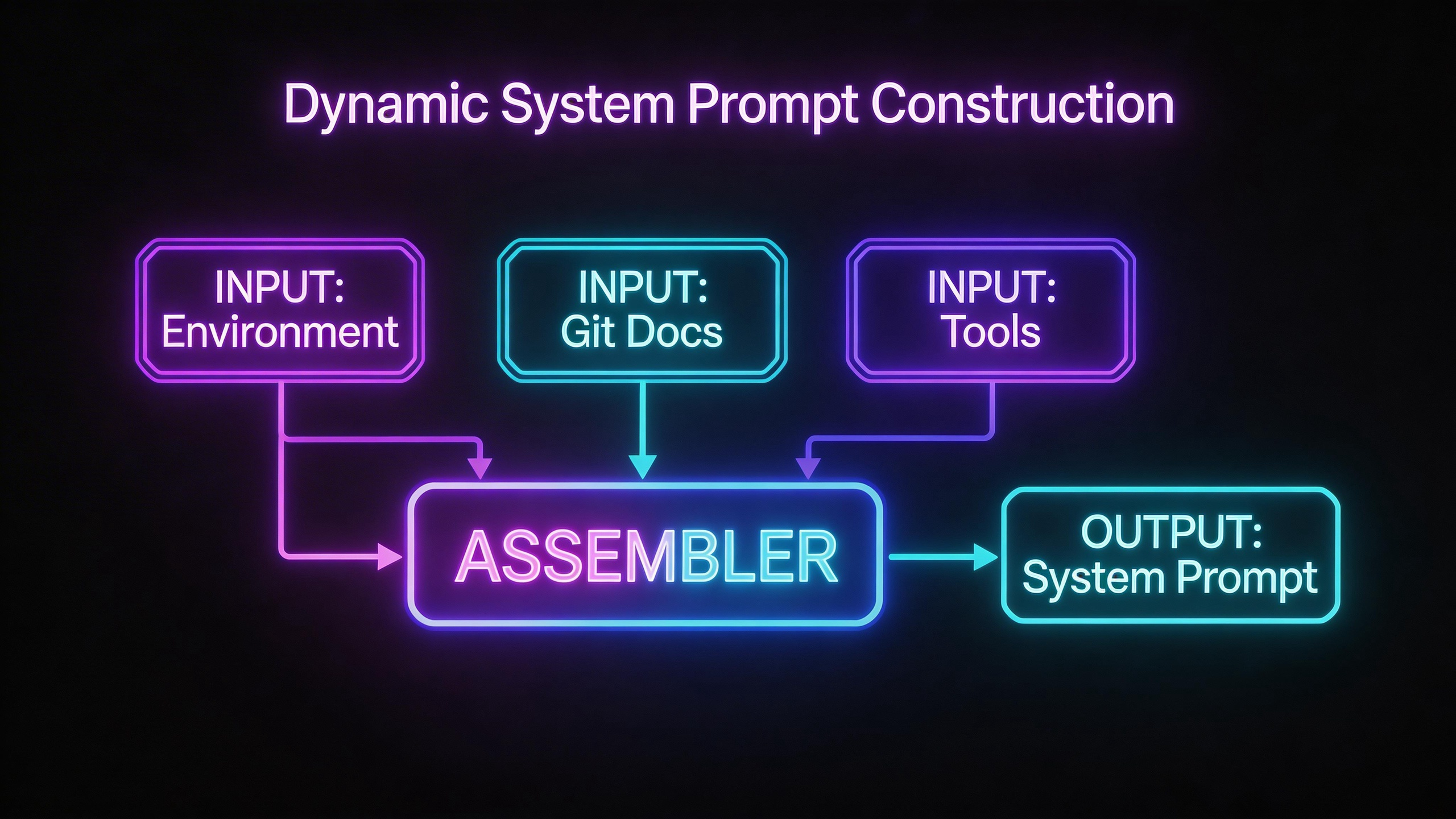
在深入源码之前,先用一张架构图建立全局视角。Claude Code 的 system prompt 由以下几个层次组成:
┌─────────────────────────────────────────────────────────────┐
│                   System Prompt(字符串数组)                  │
├─────────────────────────────────────────────────────────────┤
│  ┌───────────────── 静态内容(可跨组织缓存)──────────────┐   │
│  │  1. 身份与行为准则(Intro Section)                     │   │
│  │  2. 系统规则(System Section)                         │   │
│  │  3. 任务执行指南(Doing Tasks Section)                │   │
│  │  4. 行动准则(Actions Section)                        │   │
│  │  5. 工具使用指南(Using Your Tools Section)           │   │
│  │  6. 语气与风格(Tone and Style Section)               │   │
│  │  7. 输出效率(Output Efficiency Section)              │   │
│  └───────────────────────────────────────────────────────┘   │
│                                                               │
│  ══════════ SYSTEM_PROMPT_DYNAMIC_BOUNDARY ═══════════════   │
│                                                               │
│  ┌───────────────── 动态内容(按需计算)─────────────────┐   │
│  │  8. 会话特定指引(Session-specific Guidance)          │   │
│  │  9. 记忆系统(Memory / CLAUDE.md)                    │   │
│  │ 10. 环境信息(OS、Shell、CWD、Git 状态)              │   │
│  │ 11. 语言偏好(Language)                              │   │
│  │ 12. 输出风格(Output Style)                          │   │
│  │ 13. MCP 服务器指令(MCP Instructions)                │   │
│  │ 14. Scratchpad 配置                                   │   │
│  │ 15. 函数结果清理规则(Function Result Clearing)      │   │
│  └───────────────────────────────────────────────────────┘   │
├─────────────────────────────────────────────────────────────┤
│  User Context: CLAUDE.md 内容 + 当前日期                     │
│  System Context: Git 状态快照                                │
└─────────────────────────────────────────────────────────────┘注意中间的 SYSTEM_PROMPT_DYNAMIC_BOUNDARY——这是一个分隔标记,将 prompt 分为"静态"和"动态"两部分。静态部分在不同用户、不同会话之间内容相同,可以利用 Anthropic API 的 prompt caching 机制跨组织缓存,节省大量 token 计算开销。动态部分则包含用户和会话特定的信息,每次都需要重新计算。
3.3 源码走读
3.3.1 入口:getSystemPrompt()
System prompt 的构建入口位于 src/constants/prompts.ts 中的 getSystemPrompt() 函数。它接收四个参数:工具列表、模型 ID、额外工作目录和 MCP 客户端列表。
// src/constants/prompts.ts
export async function getSystemPrompt(
  tools: Tools,
  model: string,
  additionalWorkingDirectories?: string[],
  mcpClients?: MCPServerConnection[],
): Promise<string[]> {
  // 极简模式直接返回最小 prompt
  if (isEnvTruthy(process.env.CLAUDE_CODE_SIMPLE)) {
    return [
      `You are Claude Code, Anthropic's official CLI for Claude.\n\nCWD: ${getCwd()}\nDate: ${getSessionStartDate()}`,
    ]
  }

  const cwd = getCwd()
  const [skillToolCommands, outputStyleConfig, envInfo] = await Promise.all([
    getSkillToolCommands(cwd),
    getOutputStyleConfig(),
    computeSimpleEnvInfo(model, additionalWorkingDirectories),
  ])
  // ...
}函数首先检查是否处于 CLAUDE_CODE_SIMPLE 极简模式。如果是,仅返回一句包含 CWD 和日期的最简提示词。否则,它会并发地获取技能命令、输出样式配置和环境信息,然后进入完整的 prompt 组装流程。
最终返回值是一个字符串数组,静态部分在前,动态部分在后:
return [
  // --- 静态内容(可缓存)---
  getSimpleIntroSection(outputStyleConfig),
  getSimpleSystemSection(),
  getSimpleDoingTasksSection(),
  getActionsSection(),
  getUsingYourToolsSection(enabledTools),
  getSimpleToneAndStyleSection(),
  getOutputEfficiencySection(),
  // === 动态边界标记 ===
  ...(shouldUseGlobalCacheScope() ? [SYSTEM_PROMPT_DYNAMIC_BOUNDARY] : []),
  // --- 动态内容(注册式管理)---
  ...resolvedDynamicSections,
].filter(s => s !== null)3.3.2 环境信息的注入:computeSimpleEnvInfo()
环境信息是 system prompt 中最"接地气"的部分——它让模型知道自己运行在什么环境中。computeSimpleEnvInfo() 同样定义在 src/constants/prompts.ts 中:
export async function computeSimpleEnvInfo(
  modelId: string,
  additionalWorkingDirectories?: string[],
): Promise<string> {
  const [isGit, unameSR] = await Promise.all([getIsGit(), getUnameSR()])

  const envItems = [
    `Primary working directory: ${cwd}`,
    [`Is a git repository: ${isGit}`],
    `Platform: ${env.platform}`,
    getShellInfoLine(),
    `OS Version: ${unameSR}`,
    modelDescription,
    knowledgeCutoffMessage,
    // 最新模型家族信息
    `The most recent Claude model family is Claude 4.5/4.6. ...`,
  ].filter(item => item !== null)

  return [
    `# Environment`,
    `You have been invoked in the following environment: `,
    ...prependBullets(envItems),
  ].join(`\n`)
}这段代码并发获取 Git 状态和操作系统信息,然后将工作目录、平台类型、Shell 类型、OS 版本、模型名称和知识截止日期等信息组装成一个结构化的 Markdown 片段。getShellInfoLine() 还会针对 Windows 平台额外提醒使用 Unix shell 语法。
3.3.3 Git 状态快照:getGitStatus()
Git 状态是 system prompt 中信息量最大的动态部分之一。它定义在 src/context.ts 中:
// src/context.ts
export const getGitStatus = memoize(async (): Promise<string | null> => {
  const isGit = await getIsGit()
  if (!isGit) return null

  const [branch, mainBranch, status, log, userName] = await Promise.all([
    getBranch(),
    getDefaultBranch(),
    execFileNoThrow(gitExe(), ['--no-optional-locks', 'status', '--short'], ...)
      .then(({ stdout }) => stdout.trim()),
    execFileNoThrow(gitExe(), ['--no-optional-locks', 'log', '--oneline', '-n', '5'], ...)
      .then(({ stdout }) => stdout.trim()),
    execFileNoThrow(gitExe(), ['config', 'user.name'], ...)
      .then(({ stdout }) => stdout.trim()),
  ])

  const truncatedStatus = status.length > MAX_STATUS_CHARS
    ? status.substring(0, MAX_STATUS_CHARS) + '\n... (truncated ...)'
    : status

  return [
    `This is the git status at the start of the conversation...`,
    `Current branch: ${branch}`,
    `Main branch (you will usually use this for PRs): ${mainBranch}`,
    ...(userName ? [`Git user: ${userName}`] : []),
    `Status:\n${truncatedStatus || '(clean)'}`,
    `Recent commits:\n${log}`,
  ].join('\n\n')
})这里有几个值得注意的设计:
- 五路并发:分支名、默认分支、
git status、git log、用户名五个 Git 命令并发执行,最大化利用 I/O 等待时间。 --no-optional-locks参数:避免 Git 在后台执行可选的锁操作(如更新索引),减少阻塞风险。- 状态截断:
MAX_STATUS_CHARS = 2000,超长的git status输出会被截断,并提示用户通过 BashTool 手动查看。这避免了大型 monorepo 中状态信息撑爆 context window。 - 快照语义:prompt 中明确声明这是"对话开始时的快照",不会自动更新——让模型知道这个信息可能过时。
3.3.4 项目文档:getUserContext()
getUserContext() 负责加载项目级的配置文档,最核心的是 CLAUDE.md 文件体系:
// src/context.ts
export const getUserContext = memoize(
  async (): Promise<{ [k: string]: string }> => {
    const shouldDisableClaudeMd =
      isEnvTruthy(process.env.CLAUDE_CODE_DISABLE_CLAUDE_MDS) ||
      (isBareMode() && getAdditionalDirectoriesForClaudeMd().length === 0)

    const claudeMd = shouldDisableClaudeMd
      ? null
      : getClaudeMds(filterInjectedMemoryFiles(await getMemoryFiles()))

    setCachedClaudeMdContent(claudeMd || null)

    return {
      ...(claudeMd && { claudeMd }),
      currentDate: `Today's date is ${getLocalISODate()}.`,
    }
  },
)CLAUDE.md 文件体系遵循一个清晰的优先级层次,在 src/utils/claudemd.ts 的头部注释中有详细说明:
- Managed memory(
/etc/claude-code/CLAUDE.md)——全局的管理员级指令 - User memory(
~/.claude/CLAUDE.md)——用户私有的全局指令 - Project memory(
CLAUDE.md、.claude/CLAUDE.md、.claude/rules/*.md)——签入仓库的项目级指令 - Local memory(
CLAUDE.local.md)——项目内的私有指令
文件按优先级从低到高加载,越靠后的文件优先级越高,模型会给予更多关注。这个设计让团队可以在仓库中共享编码规范(Project memory),同时允许个人覆盖(Local memory)。
getUserContext() 还注入了当前日期——这是一条看似简单但至关重要的信息,它让模型"知道今天几号",从而能正确处理时间相关的任务。
3.3.5 系统上下文:getSystemContext()
getSystemContext() 是与 getUserContext() 并列的另一个上下文提供者:
// src/context.ts
export const getSystemContext = memoize(
  async (): Promise<{ [k: string]: string }> => {
    const gitStatus =
      isEnvTruthy(process.env.CLAUDE_CODE_REMOTE) ||
      !shouldIncludeGitInstructions()
        ? null
        : await getGitStatus()

    return {
      ...(gitStatus && { gitStatus }),
    }
  },
)它的职责相对单一:获取 Git 状态并作为系统上下文的一部分注入。当运行在远程模式(CLAUDE_CODE_REMOTE)或 Git 指令被禁用时,会跳过 Git 状态的获取。
3.3.6 三层上下文的组装
在 src/utils/queryContext.ts 中,fetchSystemPromptParts() 将三个部分汇聚到一起:
// src/utils/queryContext.ts
export async function fetchSystemPromptParts({ ... }): Promise<{
  defaultSystemPrompt: string[]
  userContext: { [k: string]: string }
  systemContext: { [k: string]: string }
}> {
  const [defaultSystemPrompt, userContext, systemContext] = await Promise.all([
    getSystemPrompt(tools, mainLoopModel, additionalWorkingDirectories, mcpClients),
    getUserContext(),
    getSystemContext(),
  ])
  return { defaultSystemPrompt, userContext, systemContext }
}三路并发获取:system prompt 主体、用户上下文(CLAUDE.md + 日期)、系统上下文(Git 状态)。它们最终会被 QueryEngine 组装成发送给 API 的完整请求。
3.3.7 缓存策略:为什么要缓存 System Prompt
Claude Code 的缓存策略体现在两个层面:
应用层缓存——memoize 模式
getUserContext、getSystemContext、getGitStatus 都使用了 lodash-es/memoize 进行缓存。这意味着它们在整个会话生命周期内只计算一次,后续调用直接返回缓存值。这不仅减少了重复的文件 I/O 和 Git 命令执行,更重要的是保证了 system prompt 的稳定性——如果每轮对话都重新计算,哪怕一个空格的变化都会导致 API 端的 prompt cache 失效。
在 src/constants/common.ts 中,甚至连"今天的日期"都做了 memoize:
// src/constants/common.ts
export const getSessionStartDate = memoize(getLocalISODate)注释中解释了原因:如果午夜零点日期发生变化,重新计算会导致整个 prompt cache 失效。相比之下,"日期过期一天"是一个可以接受的代价。
Section 级缓存——systemPromptSection 注册机制
在 src/constants/systemPromptSections.ts 中,Claude Code 实现了一套更细粒度的缓存系统:
// src/constants/systemPromptSections.ts
export function systemPromptSection(
  name: string,
  compute: ComputeFn,
): SystemPromptSection {
  return { name, compute, cacheBreak: false }
}

export function DANGEROUS_uncachedSystemPromptSection(
  name: string,
  compute: ComputeFn,
  _reason: string,
): SystemPromptSection {
  return { name, compute, cacheBreak: true }
}每个动态 section 都可以选择是否缓存。普通的 systemPromptSection 计算一次后就缓存,直到 /clear 或 /compact 命令清除缓存。而 DANGEROUS_uncachedSystemPromptSection 则每轮都会重新计算——之所以取名 DANGEROUS,是因为它会破坏 prompt cache,增加 API 开销。
看看实际使用中哪些 section 被标记为"危险的":
DANGEROUS_uncachedSystemPromptSection(
  'mcp_instructions',
  () => isMcpInstructionsDeltaEnabled()
    ? null
    : getMcpInstructionsSection(mcpClients),
  'MCP servers connect/disconnect between turns',
),MCP 服务器指令被标记为 uncached,因为 MCP 服务器可能在对话过程中连接或断开。其理由(_reason 参数)明确记录在代码中——这是一种"强制你解释为什么需要破坏缓存"的代码设计模式。
缓存的解析逻辑在 resolveSystemPromptSections() 中:
export async function resolveSystemPromptSections(
  sections: SystemPromptSection[],
): Promise<(string | null)[]> {
  const cache = getSystemPromptSectionCache()
  return Promise.all(
    sections.map(async s => {
      if (!s.cacheBreak && cache.has(s.name)) {
        return cache.get(s.name) ?? null
      }
      const value = await s.compute()
      setSystemPromptSectionCacheEntry(s.name, value)
      return value
    }),
  )
}逻辑简洁明了:如果不需要缓存破坏且缓存中已有值,直接返回;否则重新计算并更新缓存。
API 层缓存——静态/动态分区
SYSTEM_PROMPT_DYNAMIC_BOUNDARY 是 prompt 数组中的一个特殊标记字符串。在 src/utils/api.ts 的 splitSysPromptPrefix() 函数中,它被用来将 prompt 切分为两部分:
- 边界之前的静态内容,标记为
cacheScope: 'global',可以跨组织复用缓存 - 边界之后的动态内容,标记为
cacheScope: null或cacheScope: 'org'
这意味着"Claude Code 是什么"、"怎么使用工具"这类不变的指令文本,在 Anthropic 的 API 层面可以被全局缓存,所有用户共享同一份缓存,极大地降低了首 token 延迟和计算成本。
3.3.8 优先级与覆盖:buildEffectiveSystemPrompt()
最后一道工序是 src/utils/systemPrompt.ts 中的 buildEffectiveSystemPrompt()。它决定最终使用哪个 system prompt:
// src/utils/systemPrompt.ts
export function buildEffectiveSystemPrompt({
  mainThreadAgentDefinition,
  toolUseContext,
  customSystemPrompt,
  defaultSystemPrompt,
  appendSystemPrompt,
  overrideSystemPrompt,
}): SystemPrompt {
  // 优先级 0:Override 完全替换
  if (overrideSystemPrompt) {
    return asSystemPrompt([overrideSystemPrompt])
  }
  // 优先级 1:Agent 定义的 prompt(替换或追加)
  // 优先级 2:自定义 prompt(--system-prompt)
  // 优先级 3:默认 prompt
  return asSystemPrompt([
    ...(agentSystemPrompt
      ? [agentSystemPrompt]
      : customSystemPrompt
        ? [customSystemPrompt]
        : defaultSystemPrompt),
    ...(appendSystemPrompt ? [appendSystemPrompt] : []),
  ])
}优先级从高到低依次为:
- Override prompt:由 loop 模式等场景设置,完全替换所有其他 prompt
- Agent prompt:当以 Agent 模式运行时(如
/agent命令指定的自定义 Agent),使用 Agent 定义的 prompt 替换默认 prompt - Custom prompt:通过
--system-prompt命令行参数传入的自定义 prompt - Default prompt:标准的 Claude Code prompt(即
getSystemPrompt()的产物)
appendSystemPrompt 比较特殊——它总是追加在末尾(Override 除外),适合在不替换主 prompt 的情况下补充额外指令。
3.4 小结:上下文工程的实践
回顾整个 system prompt 构建流程,我们可以提炼出几个重要的上下文工程实践:
1. 分层架构,职责分明。 静态的行为准则与动态的环境信息被清晰分离。静态层定义了 Agent 的"人格"(身份、规则、风格),动态层赋予了 Agent 对当前环境的"感知"(OS、Git、项目配置)。
2. 缓存是一等公民。 从 memoize 到 systemPromptSection,再到 API 层的 cacheScope: 'global',缓存贯穿了整个 prompt 生命周期。每一个需要破坏缓存的 section 都必须提供理由——这种"默认缓存,例外需解释"的设计哲学,有效地控制了性能退化。
3. 并发优先,减少阻塞。 Promise.all 在代码中随处可见:Git 的五路并发查询、三层上下文的并行获取、环境信息与技能命令的同步计算。对于一个需要在用户输入后尽快响应的 CLI 工具来说,这种并发策略至关重要。
4. 渐进式信息注入。 从 CLAUDE.md 的四层优先级到 Agent/Custom/Default 的 prompt 覆盖机制,整个系统支持从全局到项目到会话的多层次配置。用户可以在不同粒度上定制 Agent 的行为,而无需修改源码。
到这里,我们已经理解了 Claude Code 如何为 LLM "设定人设"。但 system prompt 只是 Agent 对话的起点。当用户发送消息后,Agent 需要进入一个循环:调用模型、执行工具、处理结果、再次调用模型……这个循环是怎样运转的?下一章,我们将深入 Agent Loop 的核心实现,看看 Claude Code 如何驱动一轮又一轮的"思考-行动"循环。